Why AI Answers Copy Out Full of ## and **
Ask an AI to plan a weekend cleanup and you get a neat heading, bold words and a list. Paste it into your notes app and this is what arrives:
## Weekend cleanup

Just **three things**:

- kitchen counters
- balcony
- closet swap
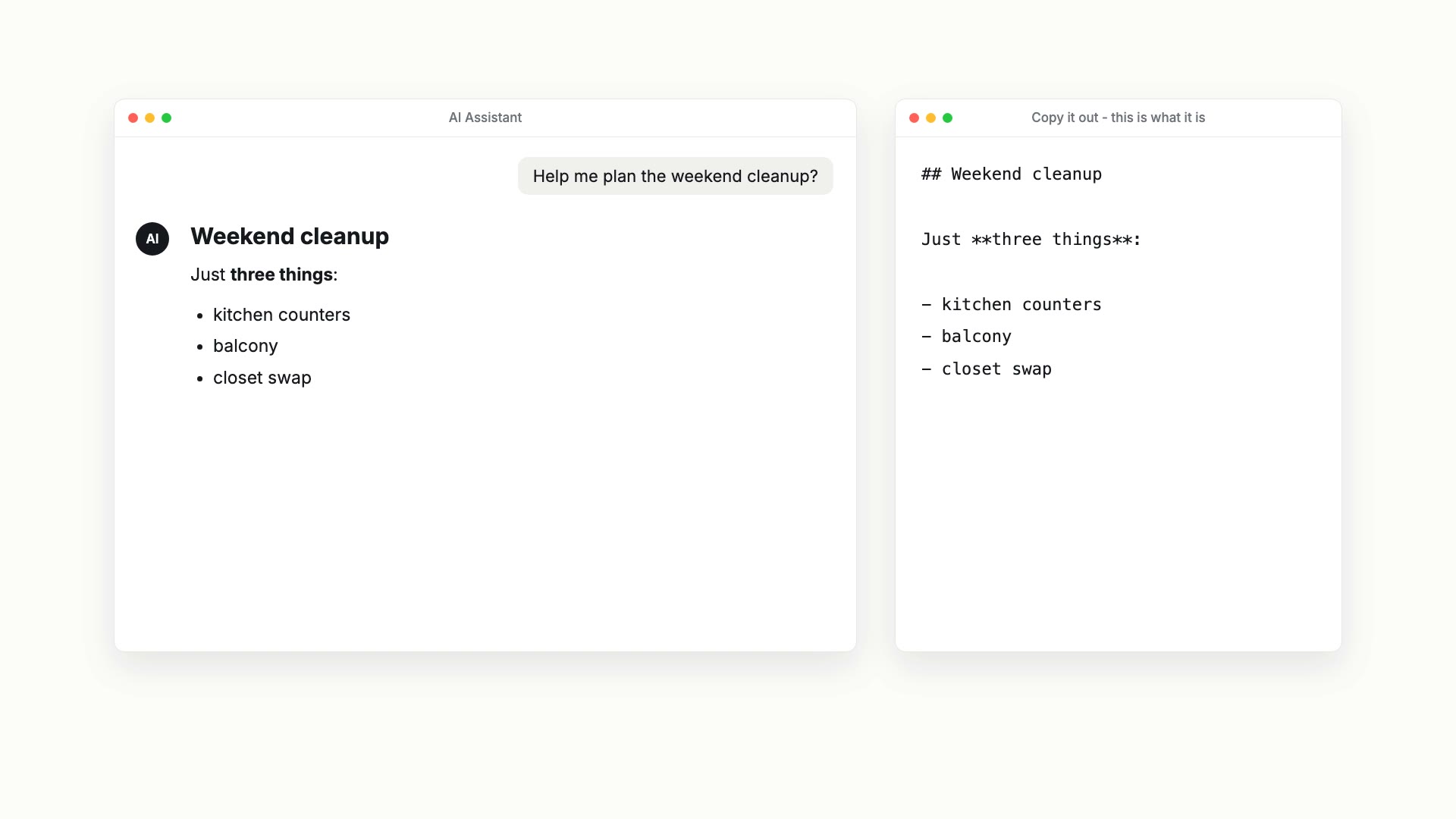
The hashes, asterisks and dashes are Markdown. AI answers are written in it, and the tidy layout you see on screen is the chat app rendering it for you. Chances are you read Markdown every day, usually after it has already been formatted for you.
We made an 87-second video that shows this: watch it on YouTube. This post is the written version, with a little more detail.
Why compare it with a Word document
Most people write in a rich-text document by default: Word, Google Docs, or something like them. To make the page look right you adjust font sizes, line spacing and indents. The styling is stuck to the words, and halfway through writing you are back in the toolbar.
Markdown takes a different route. Formatting is a handful of symbols typed on the same line as your words.
| What you type | What it shows |
|---|---|
# Weekend plan | A heading |
**important** | The word "important" in bold |
- groceries | An item in a list |
- [ ] clean the windows | A box you can tick |
Add tables drawn with vertical bars and that is most of it. You can learn it in ten minutes. Here are three reasons we think it is worth using.
1. You only write, so flow comes easier
In Markdown the symbols are the only formatting work you do. The rest of your attention stays on what you are saying. The source reads fine on its own: an unrendered **important** is obvious to a person and trivial for a program to parse, so people and machines read the same file.
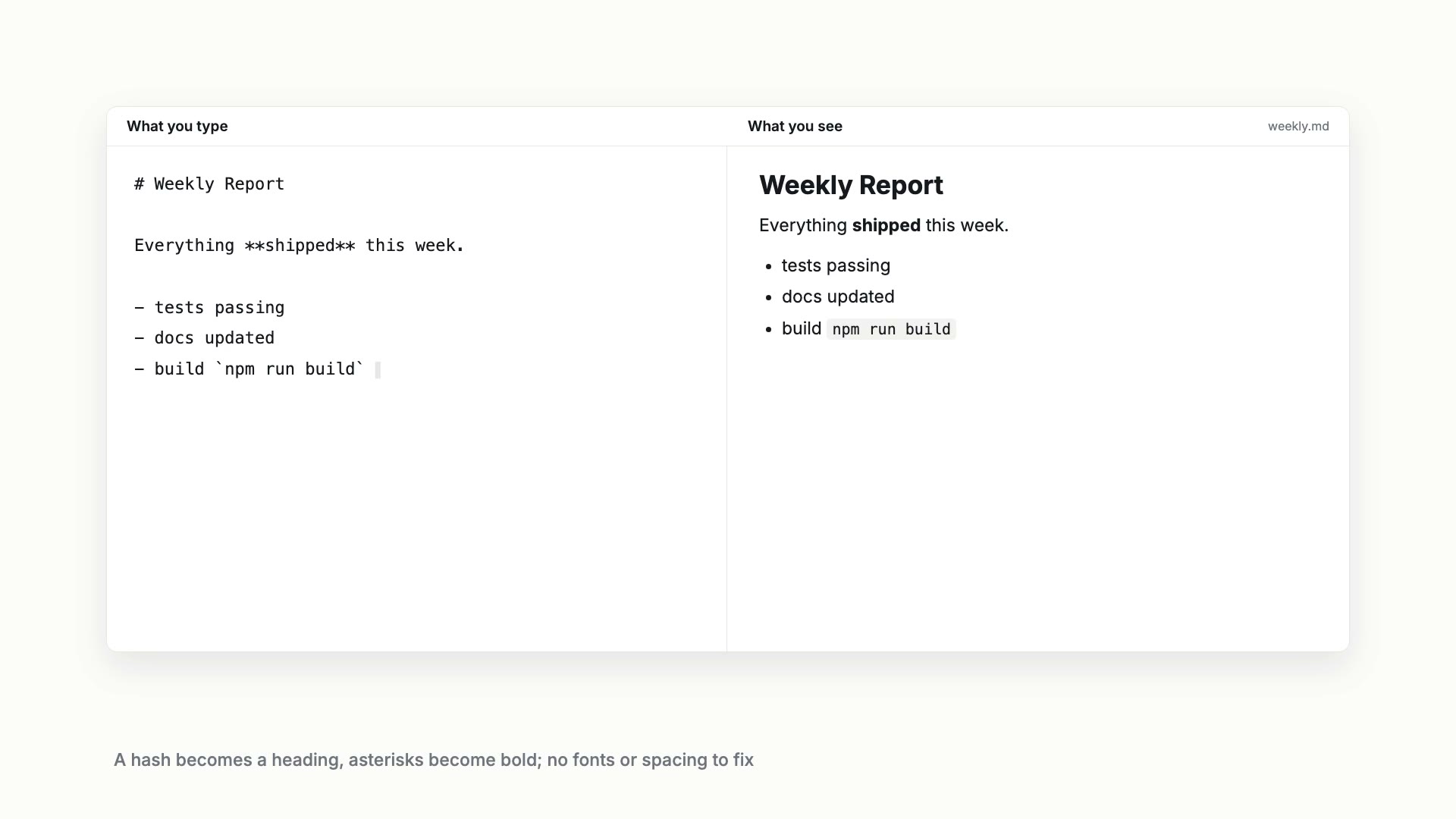
If a page full of symbols sounds unpleasant, editors that show the result as you type are everywhere now, Obsidian and Typora among them. The video uses a split view: what you type on the left, the formatted page on the right. Close the second asterisk and the word turns bold. You never leave the text to click a button.
2. It fits the AI workflow, and it keeps
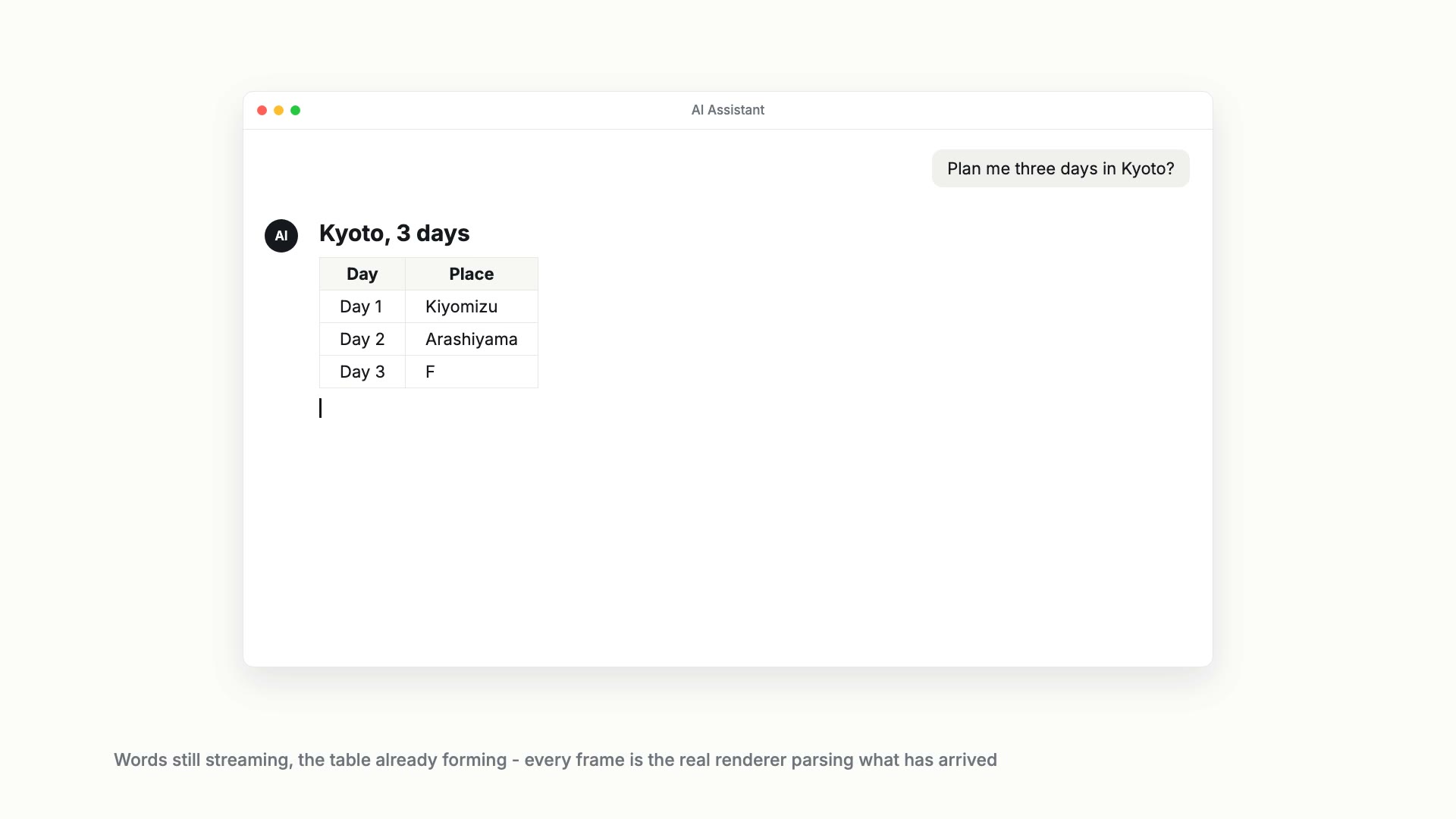
An AI answer arrives a few characters at a time, and the app renders it as it streams. In the video there is a Kyoto itinerary where a table forms halfway through the stream: as soon as the separator line under the header is complete, the renderer knows it is looking at a table.
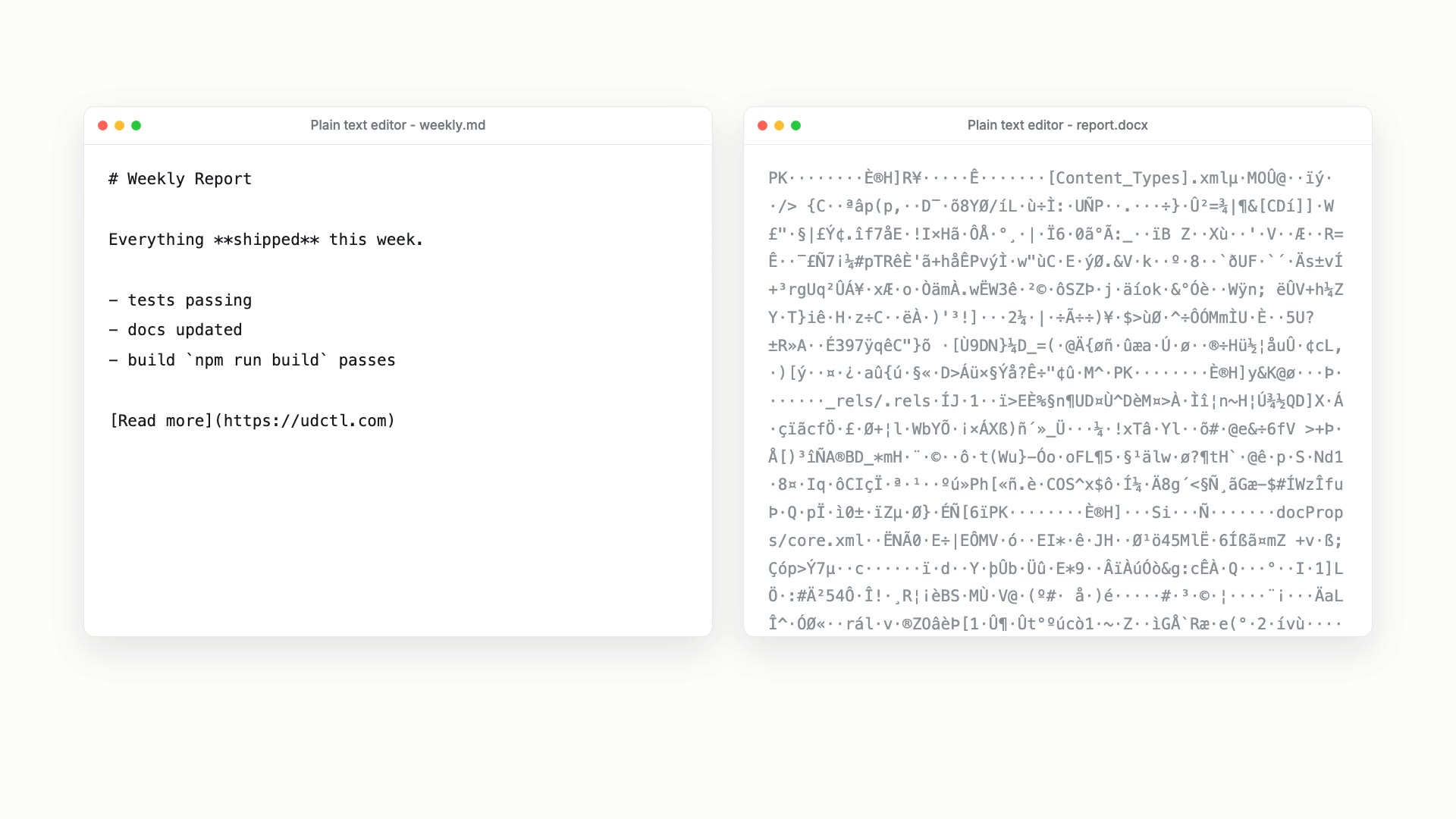
Click "copy" and what you get is the Markdown source. Save it as a .md file and open it in any Markdown reader: the headings, lists and tables are still there and it reads well. Open it in the plainest text editor and you see a few extra symbols, but every word is readable.
A .docx is different. It is a zip archive with XML files inside. Open one in a text editor and you get a screen of garbage. The garbage in the video is the raw bytes of a real docx file. If you have ever opened a file with the wrong app and seen nothing but noise, this is why.
3. It is the base format of the AI era, so what you make can settle instead of being thrown away
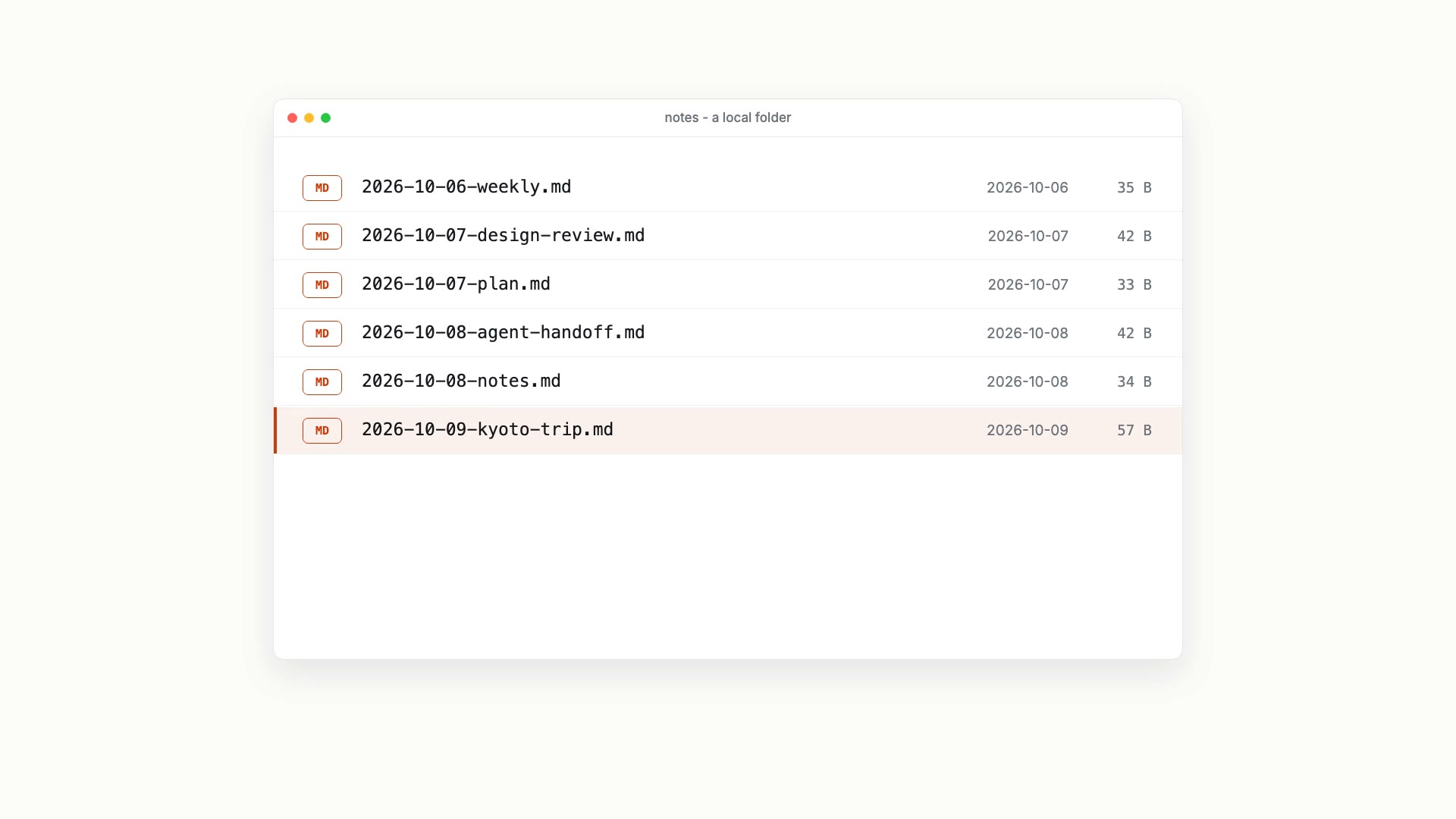
Most of what you get from an AI stays in the chat history, and a week later you cannot find it. Save each useful answer as a dated .md file instead, and one folder slowly fills with itineraries, checklists, reading notes and work logs. It is all plain text, so any app you switch to later will open it.
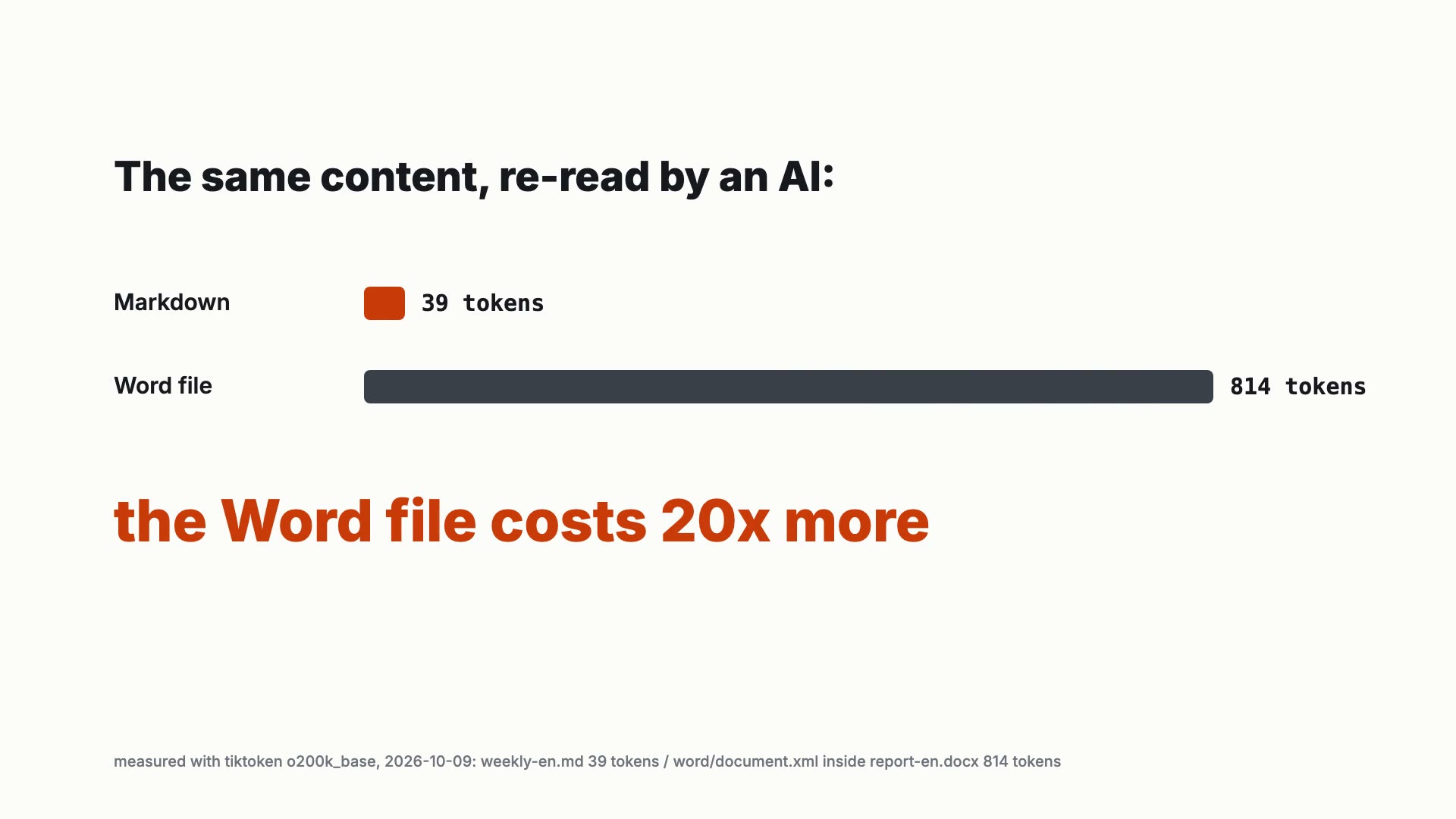
Plain text is also cheaper for AI to read. We counted tokens on the document from the video (tiktoken, o200k_base encoding): the Markdown version is 39 tokens. The same content saved as a docx needs 814 tokens for the one XML file inside it that holds the body text (word/document.xml), about 20 times as many. That is one sample document, and other documents will give a different ratio, but the direction holds: every time an AI reads what you have kept, it pays in tokens.
udctl is Markdown too
In udctl (UnDercontrol), task descriptions and notes are Markdown, and the same editor is used wherever you write, including expenses and accounts. What you write is plain text, so Claude Code, Codex, OpenCode or any terminal-based agent can read and write it through the ud command line with no conversion step.
Explore. Capture. Distill. A private workspace for people and AI agents. udctl.com