11 posts tagged with "Guide"

Guides and tutorials

View All Tags

Hand Off the Small Daily Decisions: Let Scheduled Jobs Prepare What You Study Each Day

· 7 min read
Creator of UnDercontrol

Learning a little every day is hard, and the hard part is often not the content itself but the few small decisions before you start: what to study today, where you left off, where the material is. None of them is big, but every day you make them all over again.

This post describes one way out: with udctl (UnDercontrol) scheduled jobs and an agent, you write those decisions down once and hand them over. After that you have one thing left to do each day: open a fixed place and look at what has already been prepared. Each benefit below comes with how the author runs it for their own English study.

We made a 5-minute video of this: watch it on YouTube. This post is the written version.
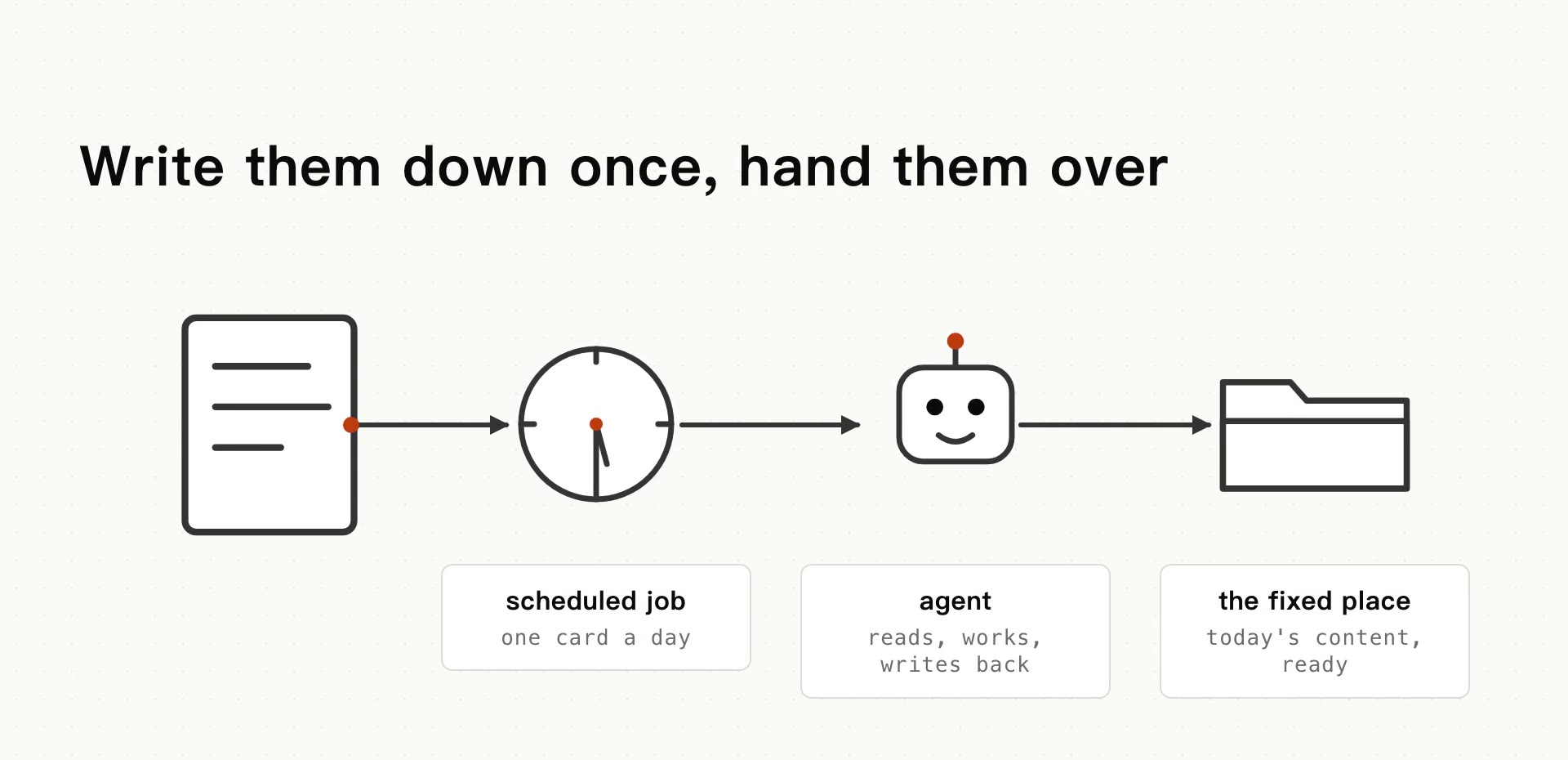
Four parts in a row: a scheduled job creates one card a day, an agent reads it, does the work and writes back, and the result lands in a fixed place

A kubectl-Style CLI for Tasks: get, describe, apply

· 9 min read
Creator of UnDercontrol

After enough hours in kubectl, you start wanting the same moves for your tasks: get for a list, describe for the full picture, edit a file and apply it back. udctl (UnDercontrol) is a self-hostable workspace for tasks, notes and expenses, with a kubectl-style CLI (ud) and AI coding agents you dispatch from a task comment. The verbs in ud were modeled on kubectl. This post covers that CLI and how it differs from Taskwarrior.

One CLI for Self-Hosted Tasks, Notes and Expenses

· 6 min read
Creator of UnDercontrol

In self-hosting setups, tasks and money usually live in two systems: a board like Vikunja for tasks, Firefly III or Actual Budget for finances. Each is deployed, backed up and logged into separately, and the data in one knows nothing about the other.

udctl (UnDercontrol) is a self-hostable workspace for tasks, notes and expenses, with a kubectl-style CLI (ud) and AI coding agents you dispatch from a task comment. Below, one ud command creates a task, records an expense, and references that expense from a note on the task.

Why AI Answers Copy Out Full of ## and **

· 6 min read
Creator of UnDercontrol

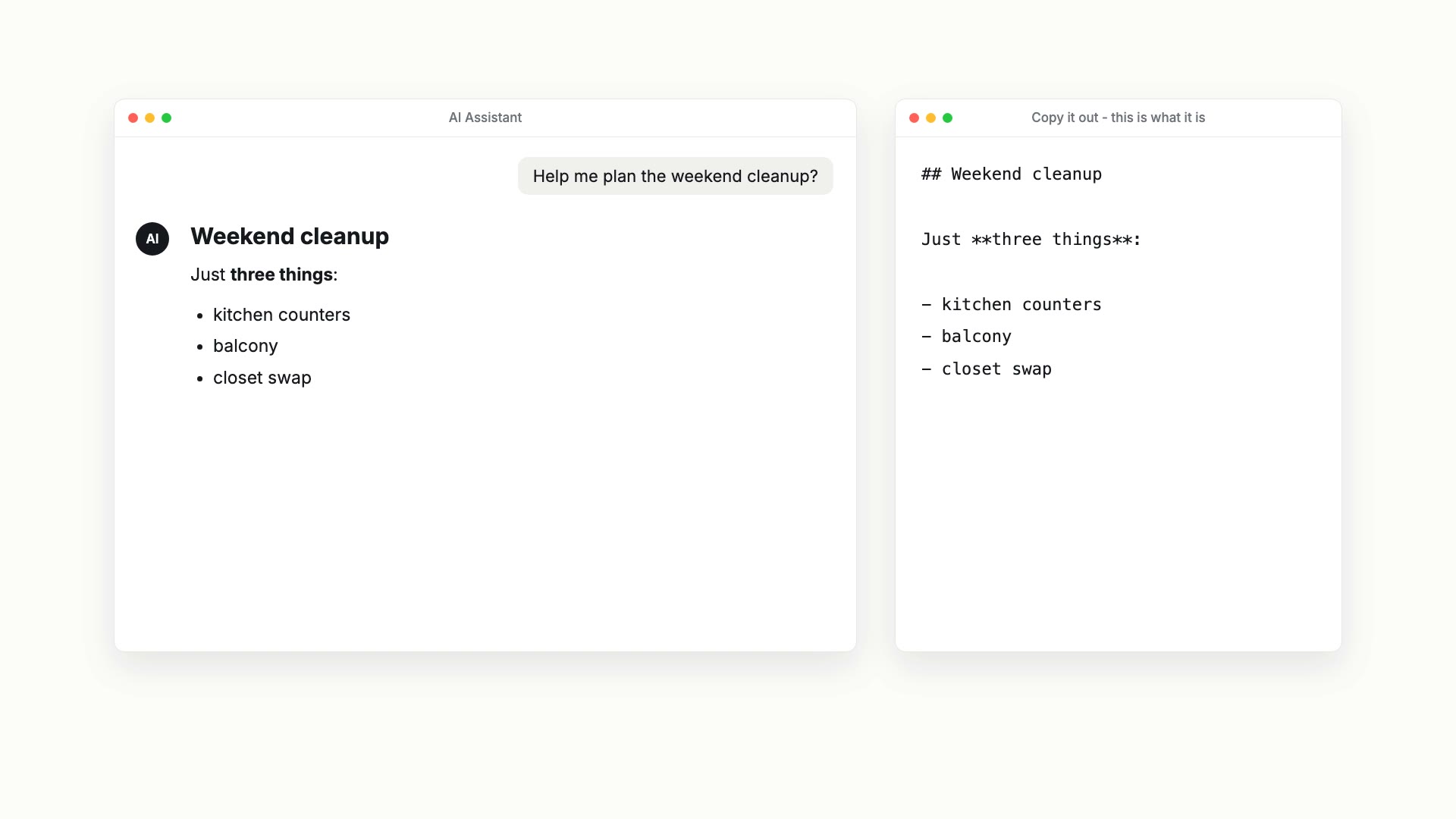
Ask an AI to plan a weekend cleanup and you get a neat heading, bold words and a list. Paste it into your notes app and this is what arrives:

## Weekend cleanup

Just **three things**:

- kitchen counters
- balcony
- closet swap

On the left, an AI assistant showing a rendered Weekend cleanup checklist; on the right, the same answer copied out as text, with the ## and ** still in it

The hashes, asterisks and dashes are Markdown. AI answers are written in it, and the tidy layout you see on screen is the chat app rendering it for you. Chances are you read Markdown every day, usually after it has already been formatted for you.

We made an 87-second video that shows this: watch it on YouTube. This post is the written version, with a little more detail.

How Do I Use an AI Agent from the Command Line?

· 7 min read
Creator of UnDercontrol

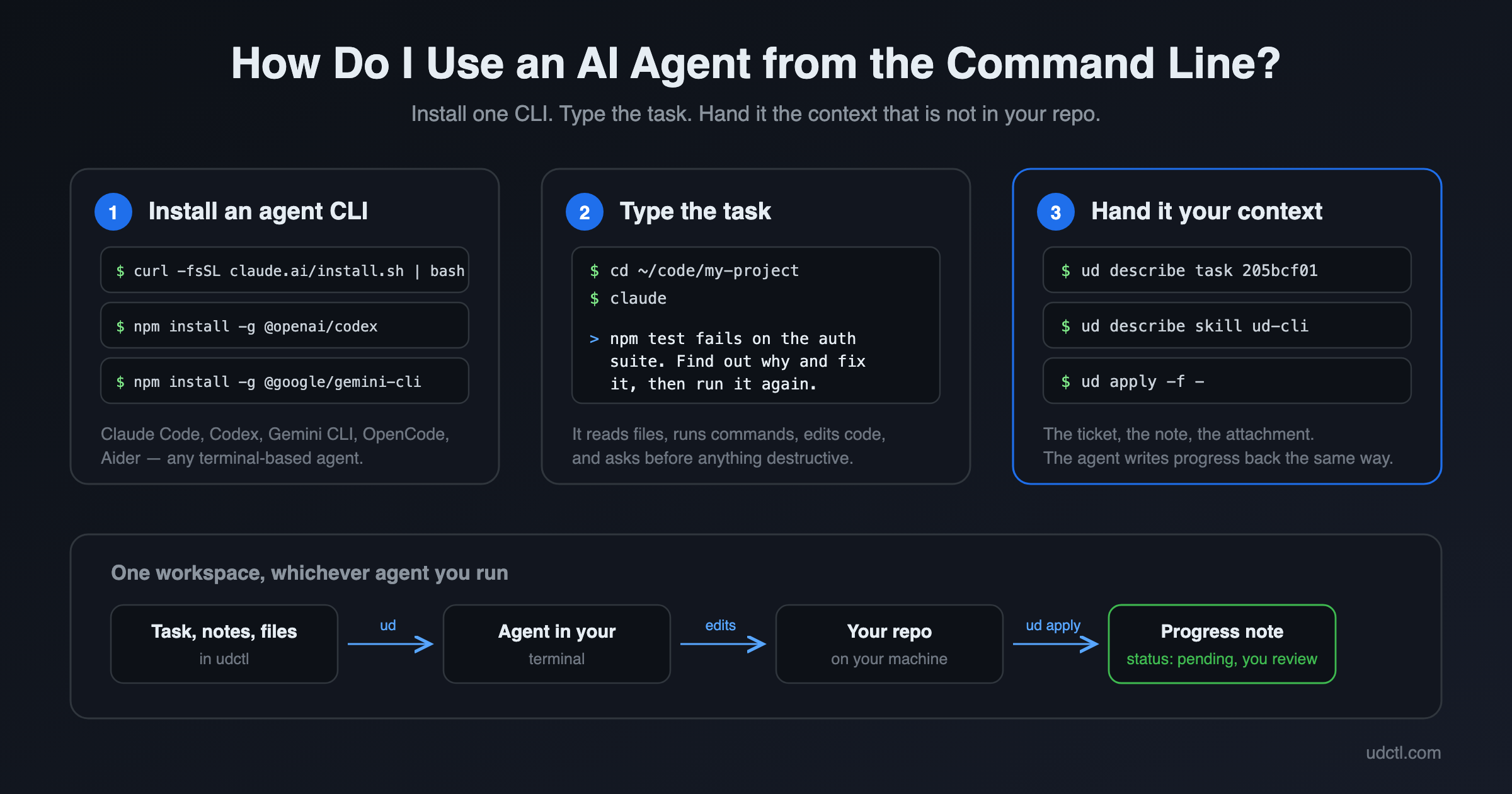
An AI agent CLI is a program such as Claude Code, Codex or Gemini CLI that runs in your terminal. You describe a task in plain English, it reads files, runs commands and edits code on your machine, and it asks before anything destructive. To use one: install it with a single command, open a terminal in the project directory, and type what you want done. Three steps, and the first two take about a minute.

An AI agent running in a terminal, reading a task and writing progress back

Virtual Path: Where Tasks Settle into Knowledge and Docs

· 6 min read
Creator of UnDercontrol

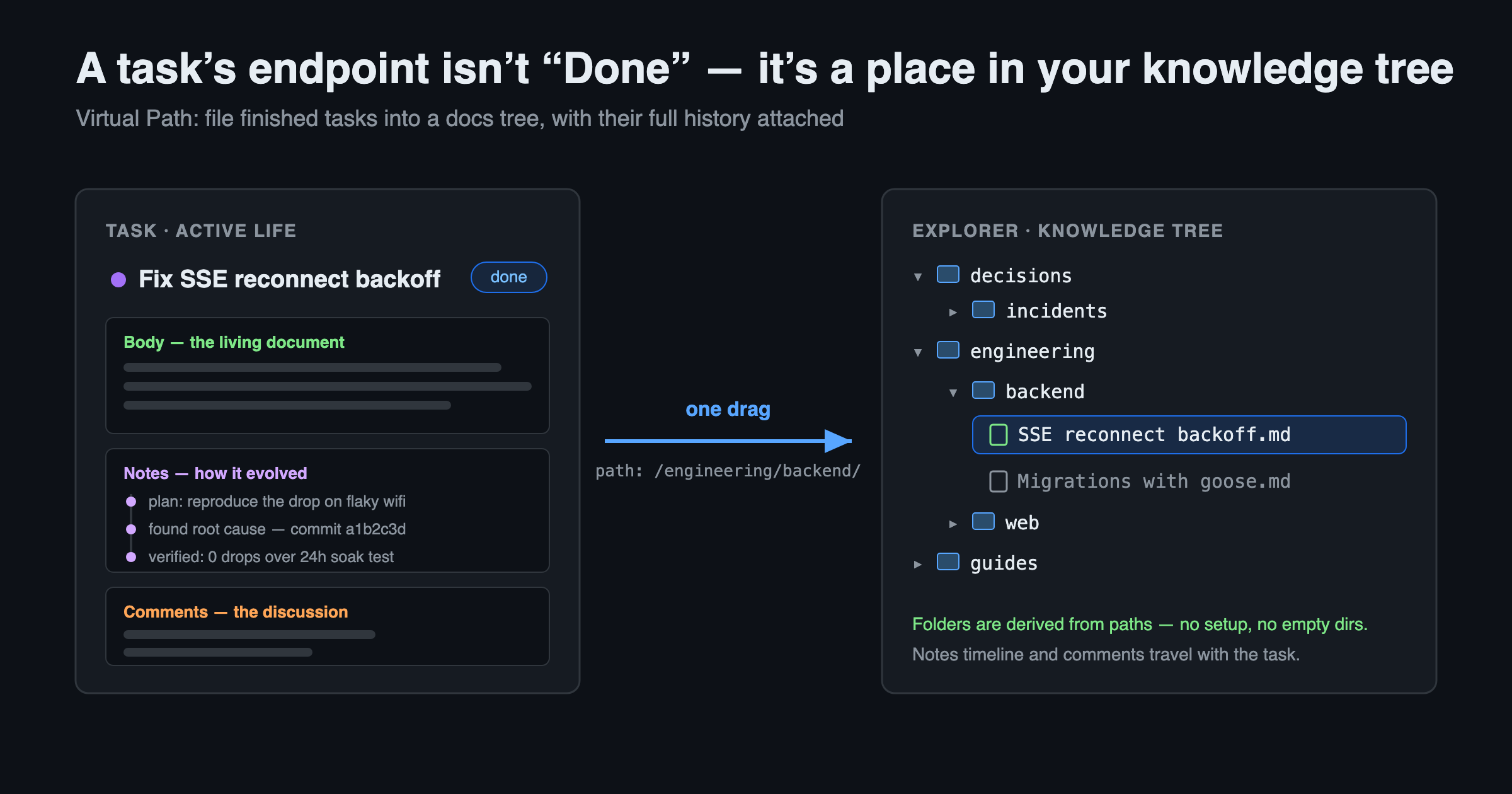
I've watched too many tasks die the moment they hit "Done." The card gets archived and nobody ever opens it again — why we designed it that way, what pitfalls we hit, how it was verified, all buried inside. Two months later someone asks, and you retell it from memory.

Building UnDercontrol, I've held onto one conviction: a task shouldn't be disposable. Its body is already a Markdown document, its Notes record how it evolved step by step, and the comments keep the arguments from back then. Throwing all of that away when the work is done is just wasteful.

That's why Virtual Path exists.

A task's endpoint isn't Done — it's a place in your knowledge tree

Turn Any Web Page into Clean Markdown for Your AI — UnDercontrol Web Clipper

· 6 min read
Creator of UnDercontrol

You want to hand a web article to an AI — to summarize it, translate it, or ask questions about it. How do you do that today?

Select-all and copy? You paste a mess of navigation bars, ads, recommendation widgets, and broken formatting. Send the link? Many AI tools can't fetch pages, and when they can, the result is often incomplete.

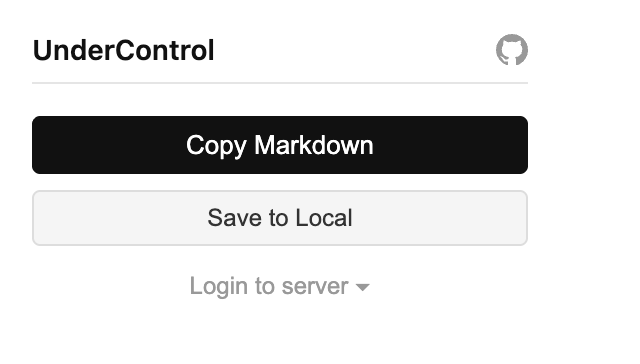
The UnDercontrol Web Clipper Chrome extension gives you a cleaner answer: click Copy Markdown, and the page's article content is extracted into tidy Markdown on your clipboard — no login, no account, no configuration. Install it and it works on any page. Paste it into Claude, ChatGPT, or any AI, and what it gets is pure content with zero noise.

Web Clipper popup — Copy Markdown and Save to Local, no login required

Tags and Custom Fields: Organize Tasks by Your Own Dimensions

· 7 min read
Creator of UnDercontrol

Most tools decide for you what a task "looks like": a few fixed dropdowns, a hard-coded set of fields, someone else's taxonomy. But in reality every person, every team, every workflow wants to track different dimensions — one needs "priority", another needs "client", "estimate", "department", and someone else just wants to slap on a tag and filter later.

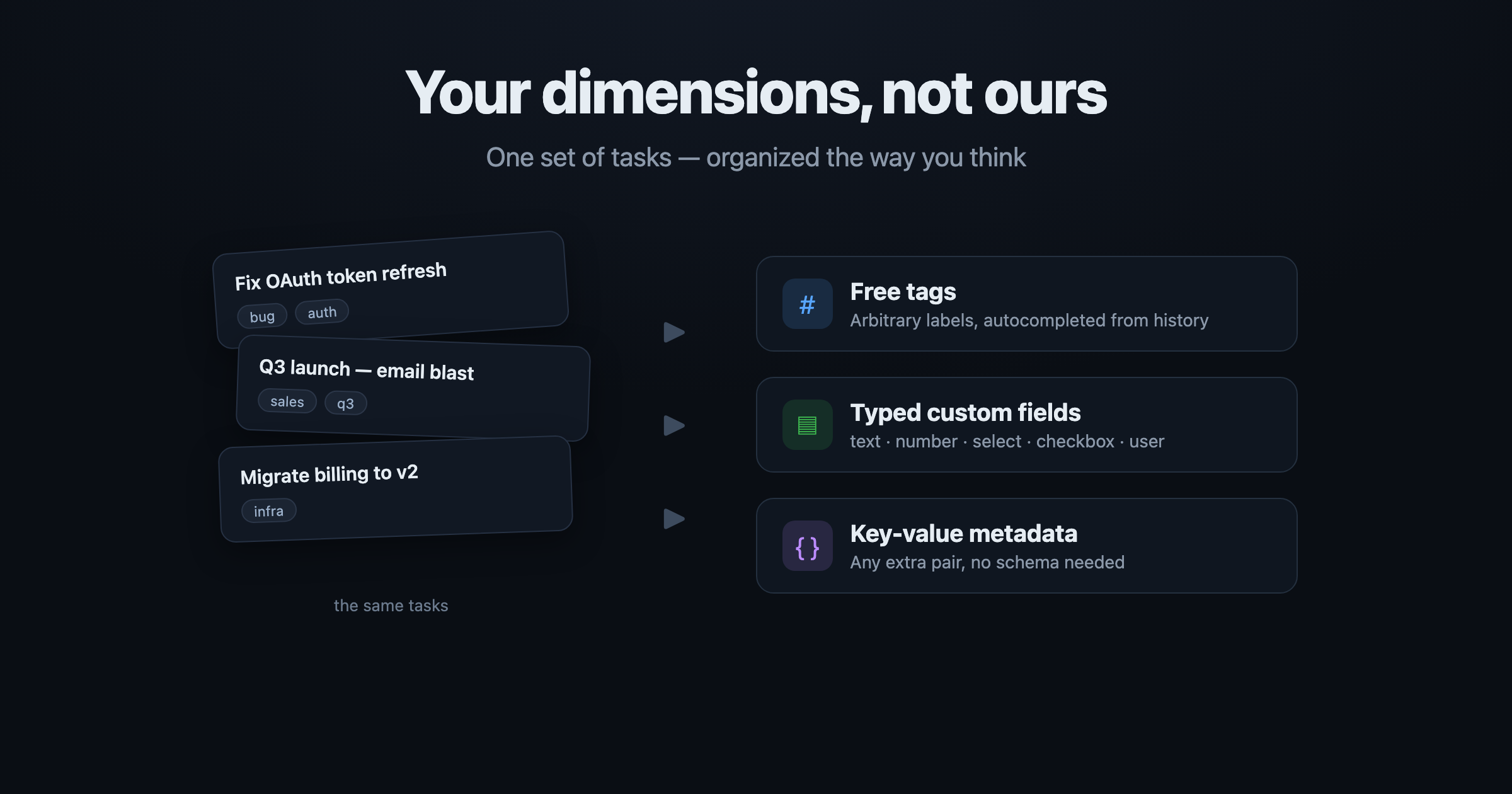
UnDercontrol doesn't impose structure. It gives you three composable layers: free-form tags, typed custom fields, and arbitrary key-value metadata. All three are directly queryable, so you can slice the same set of tasks along your dimensions instead of bending to the tool's taxonomy.

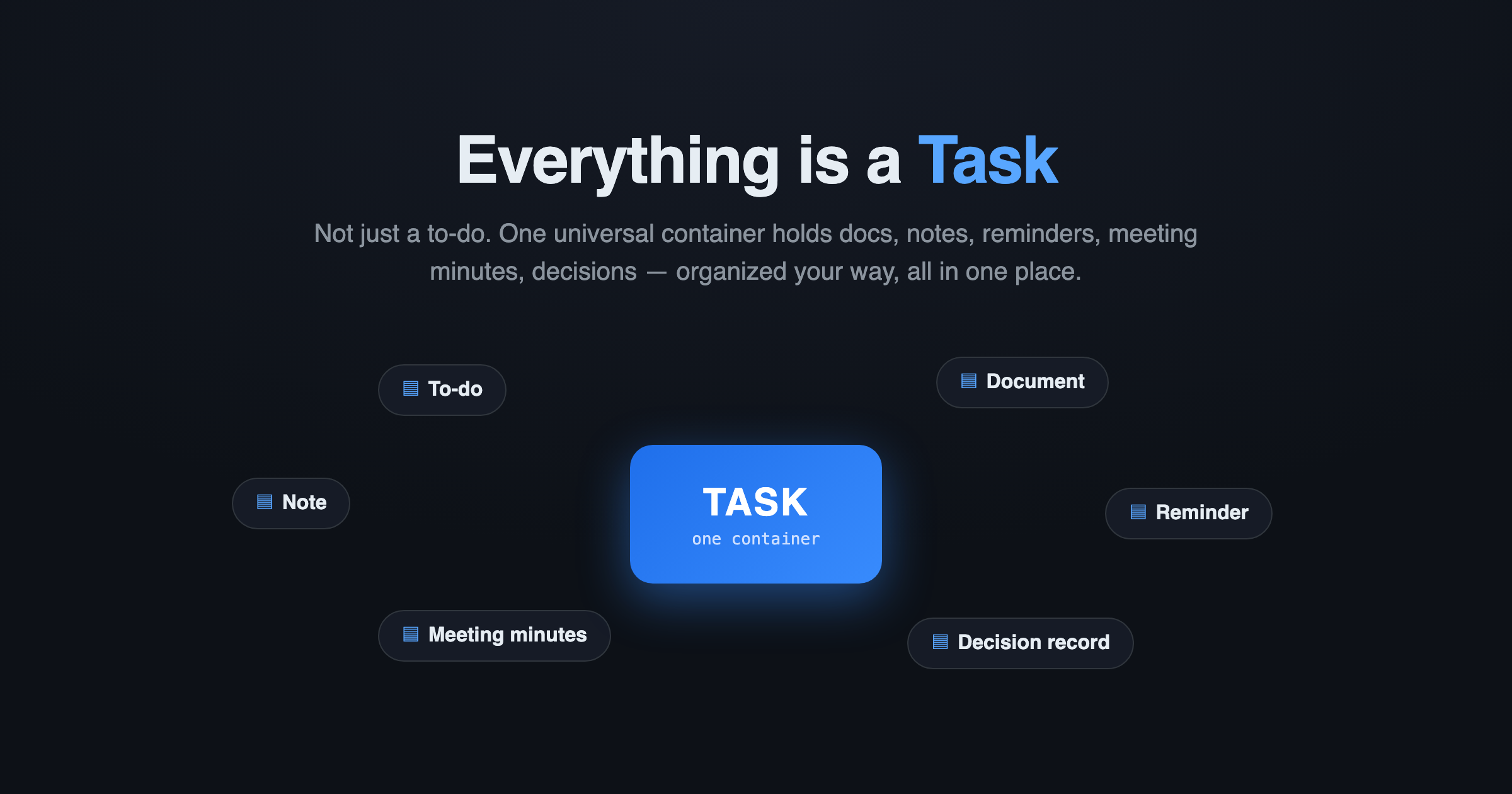
This rests on a core UnDercontrol idea: a task is not just a to-do — it's a universal container for information. The same Markdown editor runs across tasks, notes, expenses, and accounts — every text surface. Tags and custom fields are how you layer your own structure on top of that container.

The same set of tasks, sliced freely by tags / custom fields / key-value metadata

Everything is a Task: One Container for To-dos, Docs, Notes, and a Knowledge Graph

· 7 min read
Creator of UnDercontrol

Unix has a famous design philosophy: everything is a file. Directories, devices, pipes, sockets — all read and written through one uniform interface. Simple, unified, composable.

UnDercontrol borrows the same idea, just with a different primitive: everything is a Task.

Everything is a Task

Most tools treat a "task" as a single line with a checkbox. UnDercontrol never did. Here, a Task is a universal information container — it can be a to-do, a document, a reminder, a blog draft, meeting minutes, a decision record, even a wiki page. One data source, organized your way, all in one place.