3 posts tagged with "ai-agent"

View All Tags

Server or Daemon: Where Should Your UnDercontrol (udctl) Agent Run?

· 6 min read
Creator of UnDercontrol

An agent in UnDercontrol (udctl) can now run in two places. Pick server when the job lives inside udctl, such as answering from your cards, creating a card, writing a note or posting a scheduled rundown. Your machine can be off for all of these. Pick daemon when the job needs your code, your shell, or a coding CLI: Claude Code, Codex, OpenCode, or any terminal-based agent.
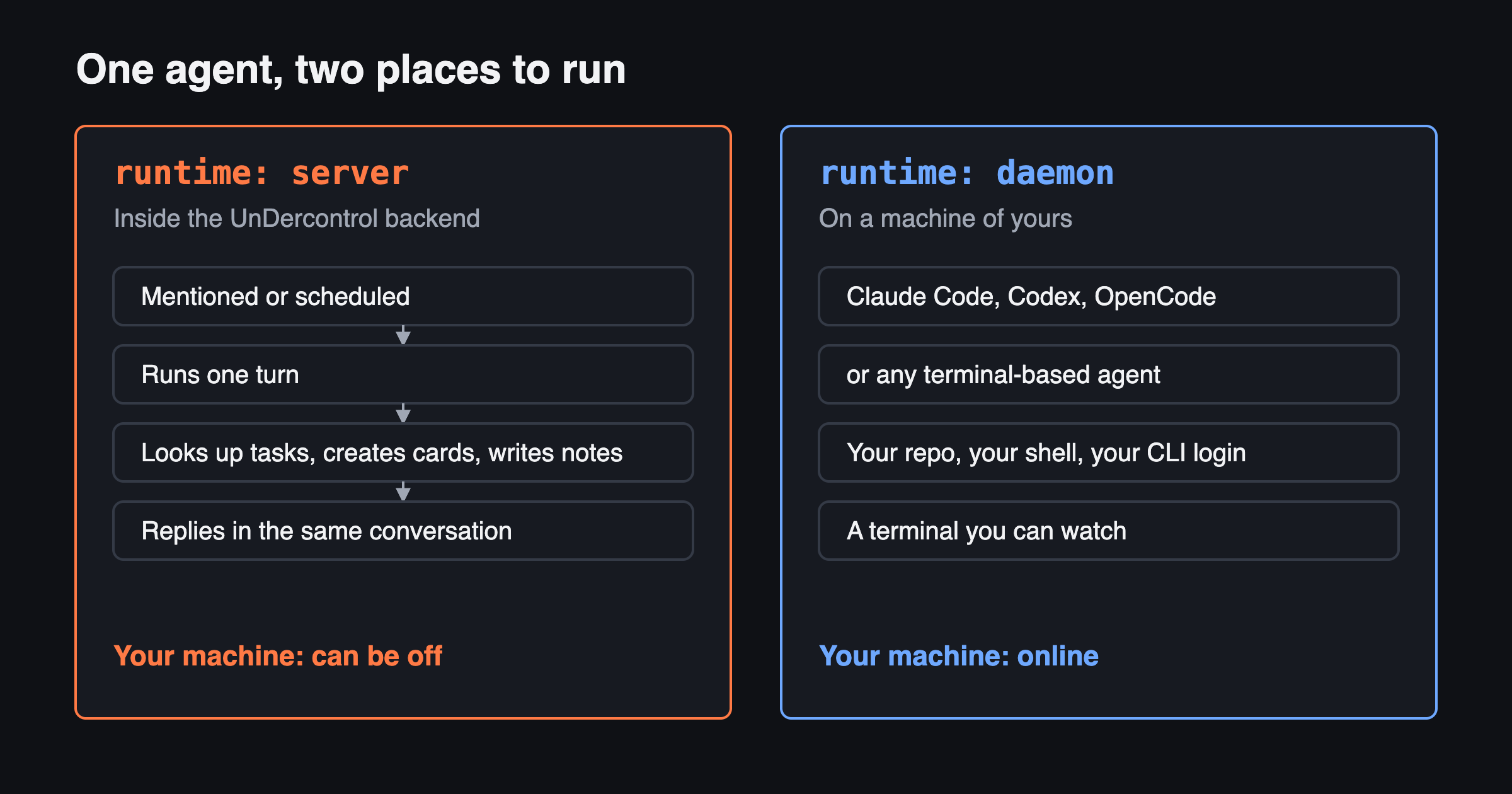
Two panels. Server runs inside the udctl backend: it is mentioned or scheduled, runs one turn, works with tasks, cards and notes, and replies in the same conversation, while your machine can be off. Daemon runs on a machine of yours, with Claude Code, Codex, OpenCode or any terminal-based agent, your repo, your shell and a terminal you can watch

Is There a Kanban Board for Claude Code Sessions?

· 8 min read
Creator of UnDercontrol

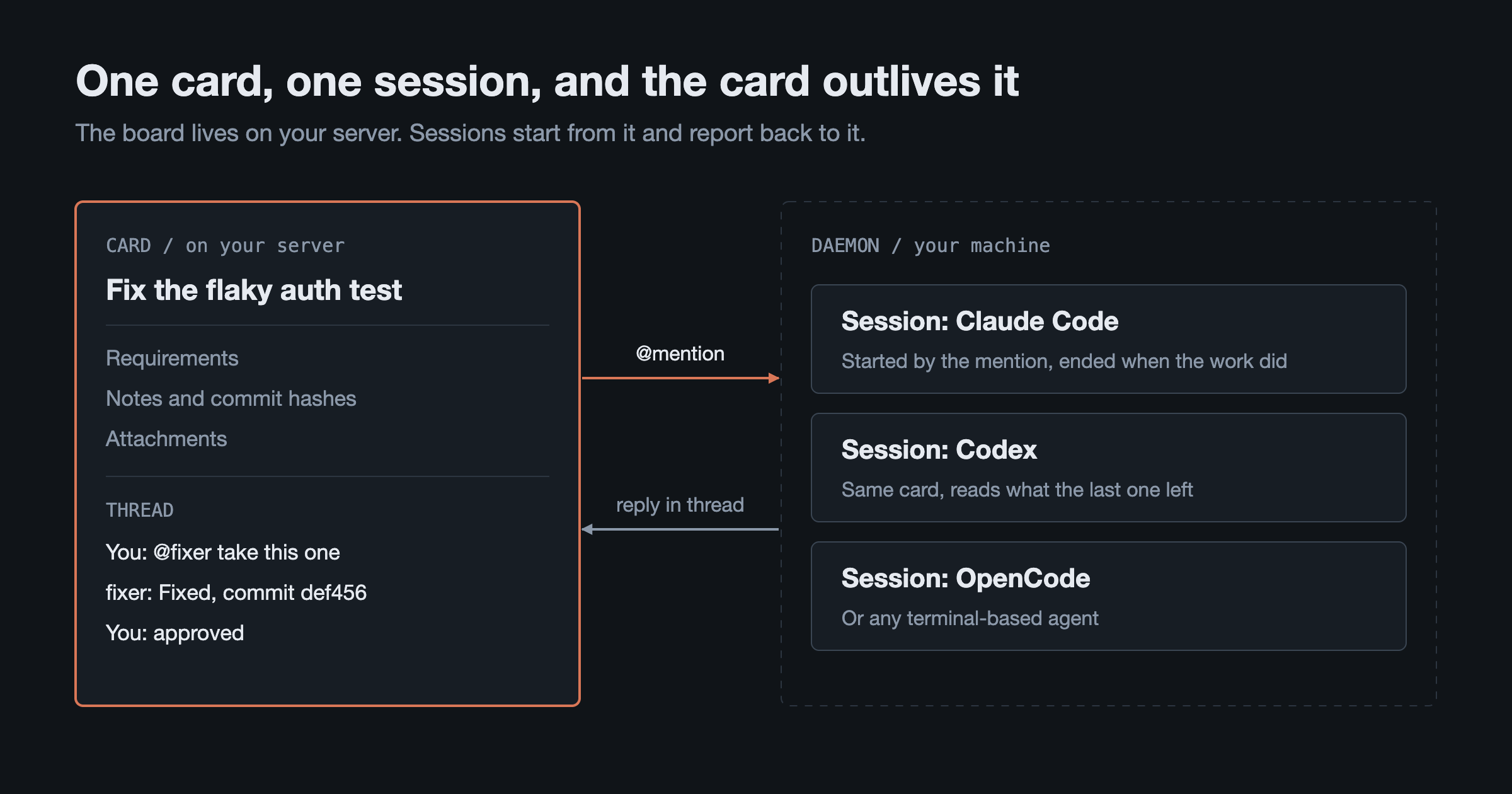
Yes, several. claude-code-kanban, Kanban Code and Vibe Kanban all put Claude Code on a board, and all three can start work from it. If you want the board on your own server, with requirements written on the card, a session started by an @mention in a comment, the result back in the card's thread, and the option to move to Codex or OpenCode without changing boards, that is how udctl (UnDercontrol) works. It is self-hosted and free for individuals and teams of up to 3.

On the left, a card on your server holding requirements, notes and a comment thread. On the right, a daemon on your machine that starts Claude Code, Codex or OpenCode sessions on an @mention and sends replies back to the thread

How Do I Use an AI Agent from the Command Line?

· 7 min read
Creator of UnDercontrol

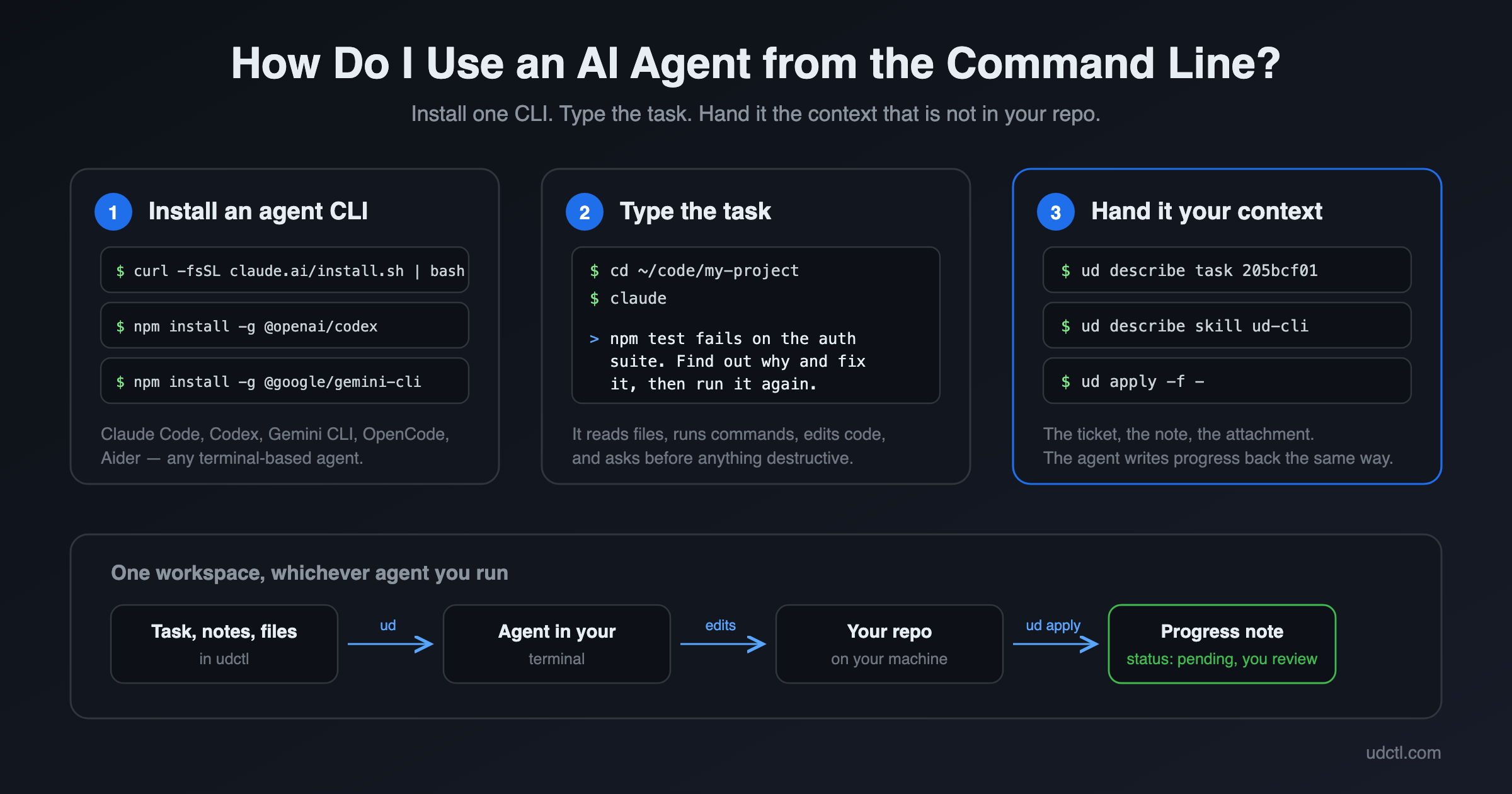
An AI agent CLI is a program such as Claude Code, Codex or Gemini CLI that runs in your terminal. You describe a task in plain English, it reads files, runs commands and edits code on your machine, and it asks before anything destructive. To use one: install it with a single command, open a terminal in the project directory, and type what you want done. Three steps, and the first two take about a minute.

An AI agent running in a terminal, reading a task and writing progress back