
3 posts tagged with "Self-Hosting"

Self-hosting and deployment topics

View All Tags

One CLI for Self-Hosted Tasks, Notes and Expenses

· 6 min read
Creator of UnDercontrol

In self-hosting setups, tasks and money usually live in two systems: a board like Vikunja for tasks, Firefly III or Actual Budget for finances. Each is deployed, backed up and logged into separately, and the data in one knows nothing about the other.

udctl (UnDercontrol) is a self-hostable workspace for tasks, notes and expenses, with a kubectl-style CLI (ud) and AI coding agents you dispatch from a task comment. Below, one ud command creates a task, records an expense, and references that expense from a note on the task.
Run Your Team's Server From Your Desktop

· 8 min read
Creator of UnDercontrol

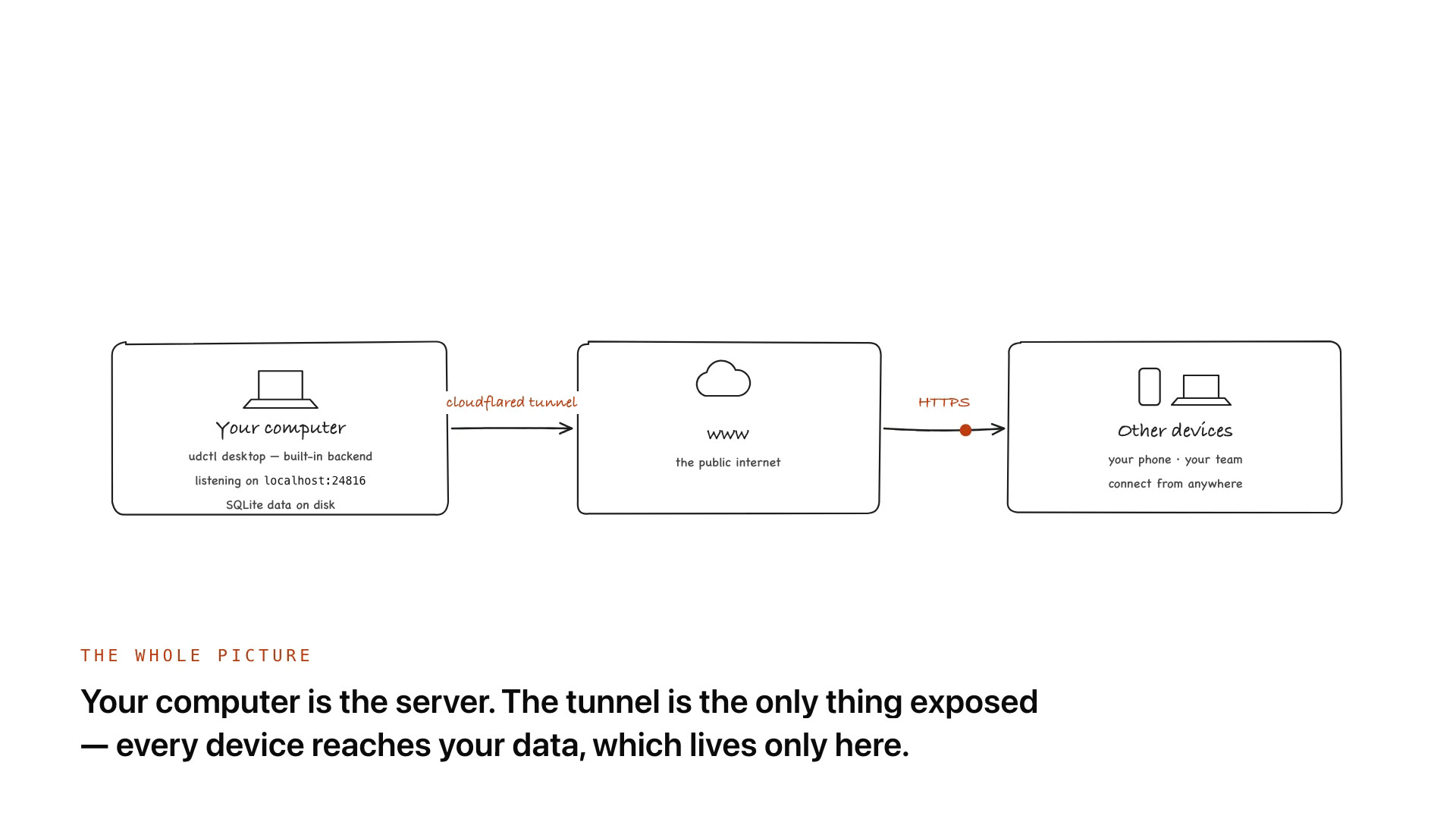
The udctl desktop app has a full backend inside it. Install it and your computer is already a server: it listens on localhost:24816 and keeps tasks, notes and ledgers in a SQLite file on your own disk. Add a license and that same server becomes a multi-user team backend. Add a Cloudflare Tunnel and your phone, your laptop and your teammates can reach it from anywhere. No VPS, no public IP, no router port forwarding.

Diagram: your computer runs the udctl desktop app with its built-in backend on localhost:24816 and SQLite data on disk; a cloudflared tunnel connects it to the public internet, and your phone and your team reach it over HTTPS

No Server? Your Desktop Is the Server

· 7 min read
Creator of UnDercontrol

Where your data lives is a fork in the road when you pick a tool. SaaS is the convenient path: sign up and go, nothing to maintain, at the cost of your data sitting on the provider's servers. UnDercontrol will offer that hosted option too. But if what you want is full data self-custody — tasks, notes, and ledgers stored only on your own devices, where backup means copying a file and migration means moving to another machine — this tutorial is for you.

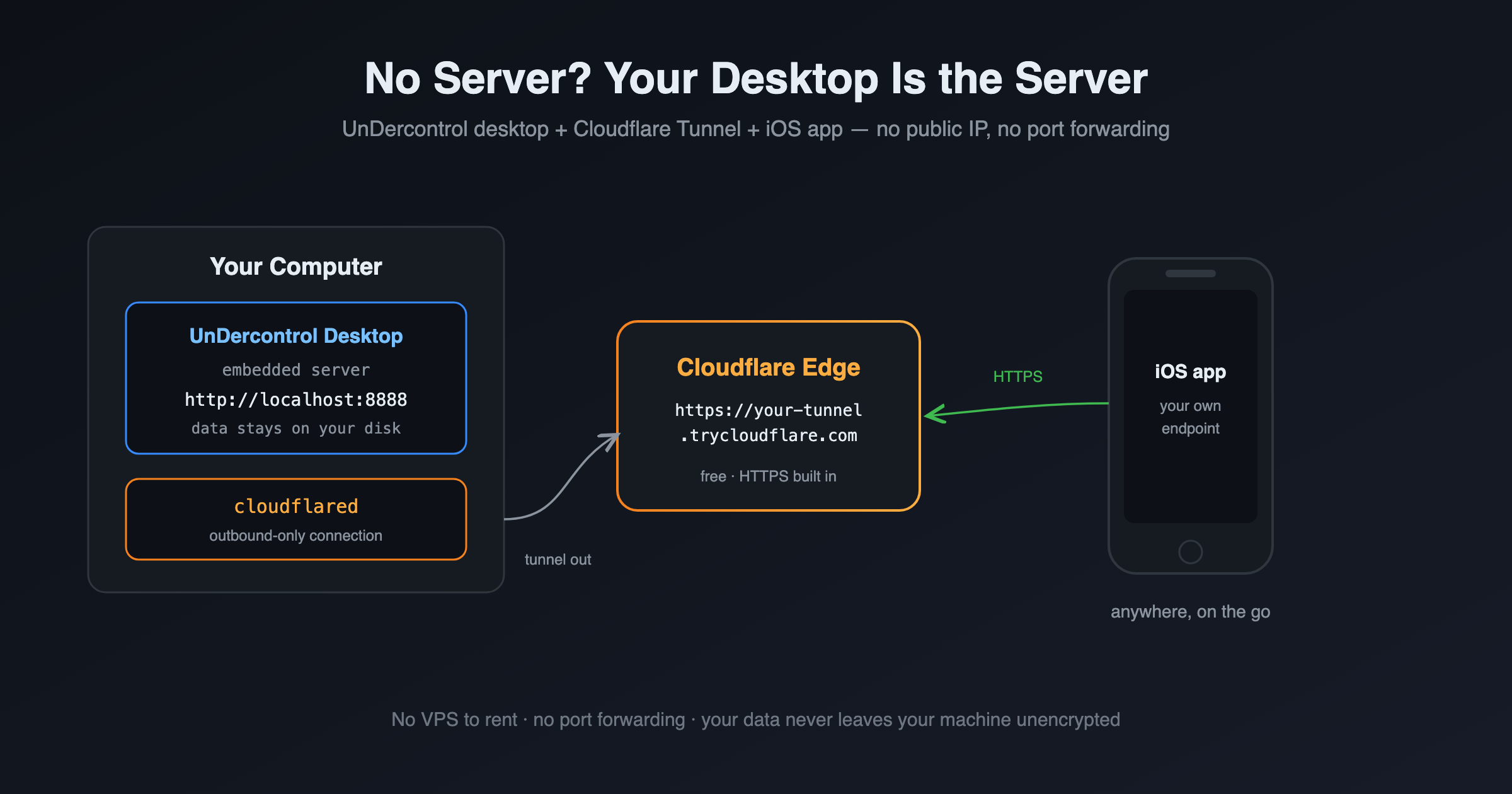
Self-custody usually means running your own server, and that is exactly where most people give up. Here is a zero-cost path that skips the server entirely: the UnDercontrol desktop app ships with a full backend and keeps your data in a SQLite file on your own disk; Cloudflare Tunnel exposes that machine to the internet for free; the iOS app connects straight to your own endpoint. Check tasks, jot notes, and log expenses from the subway, while the data itself never lives anywhere but your computer. No public IP, no router port forwarding, and no domain to buy (optional, only if you want a fixed address).

Architecture: the desktop app embeds a server, cloudflared dials out to Cloudflare's edge, and iOS reaches it over HTTPS from any network