We only take what you hand us
On 18 September, someone reverse-engineered ZCode, Zhipu's desktop coding assistant, and found that once you were signed in it packed your entire working directory and uploaded it in the background. Not just the code you were editing — the full Git commit history, the LFS cache, the local branch records too. For the commercial project that got posted, one snapshot came to roughly 313 MB across forty-two thousand files, with .git accounting for 86.6% of it.
Zhipu apologised that afternoon. The problem came from a repository-indexing feature that shipped enabled by default, it was fixed, and they promised to open-source the client, bring in a third-party audit, and give every user an extra weekly quota reset. That is a decent response, and a fast one.
But there are two more layers here that matter more than "enabled by default".
The gap
When you open a coding assistant, what are you handing it? This file. This stack trace. This function, how should I change it. What ZCode took was the entire repository from the first commit onward: the bad commit you deleted long ago, the branch you force-pushed away that the reflog still remembers, the key that used to sit in a config file before you moved it out.
The problem isn't whether data ends up on a server — the data of every cloud tool ends up on a server. The problem is the distance between the small thing you handed over and the whole thing that got taken.
The switches
The second thing is worse than the default.
ZCode's settings had two switches that looked relevant. According to the reverse-engineering write-up, "experience optimisation" controlled whether your data was used to train models, and "repository snapshot indexing" controlled whether the server indexed snapshots it had already received. Turn both off and the local packing and uploading happened anyway. One user reproduced it with everything switched off and still found a 699 MB local snapshot sitting on disk, with a trail of upload logs.
Shipping enabled by default is a bad decision, and a bad decision can be reversed. A switch whose name describes one thing while it governs another is a different category: the user takes the correct action, gets the wrong result, and never finds out. As far as they know, they already dealt with it.
And a third: the private key lives only on the server. Content is encrypted with AES, the key is wrapped with an RSA public key, and the decryption key is never handed down. So even if you catch the upload on your own machine, you can't open it — you cannot audit what was taken. Zhipu says the uploaded data is "destroyed immediately and not retained". That may well be true, and a user has no way at all to check it.
Our side
UnDercontrol keeps tasks, notes, expenses and accounts in one set of data, with the same Markdown editor across all of them, and the CLI, desktop app, web app and iOS client all working on that same content. For something shaped like that, saying "we take privacy seriously" means nothing. Here is the specific version.
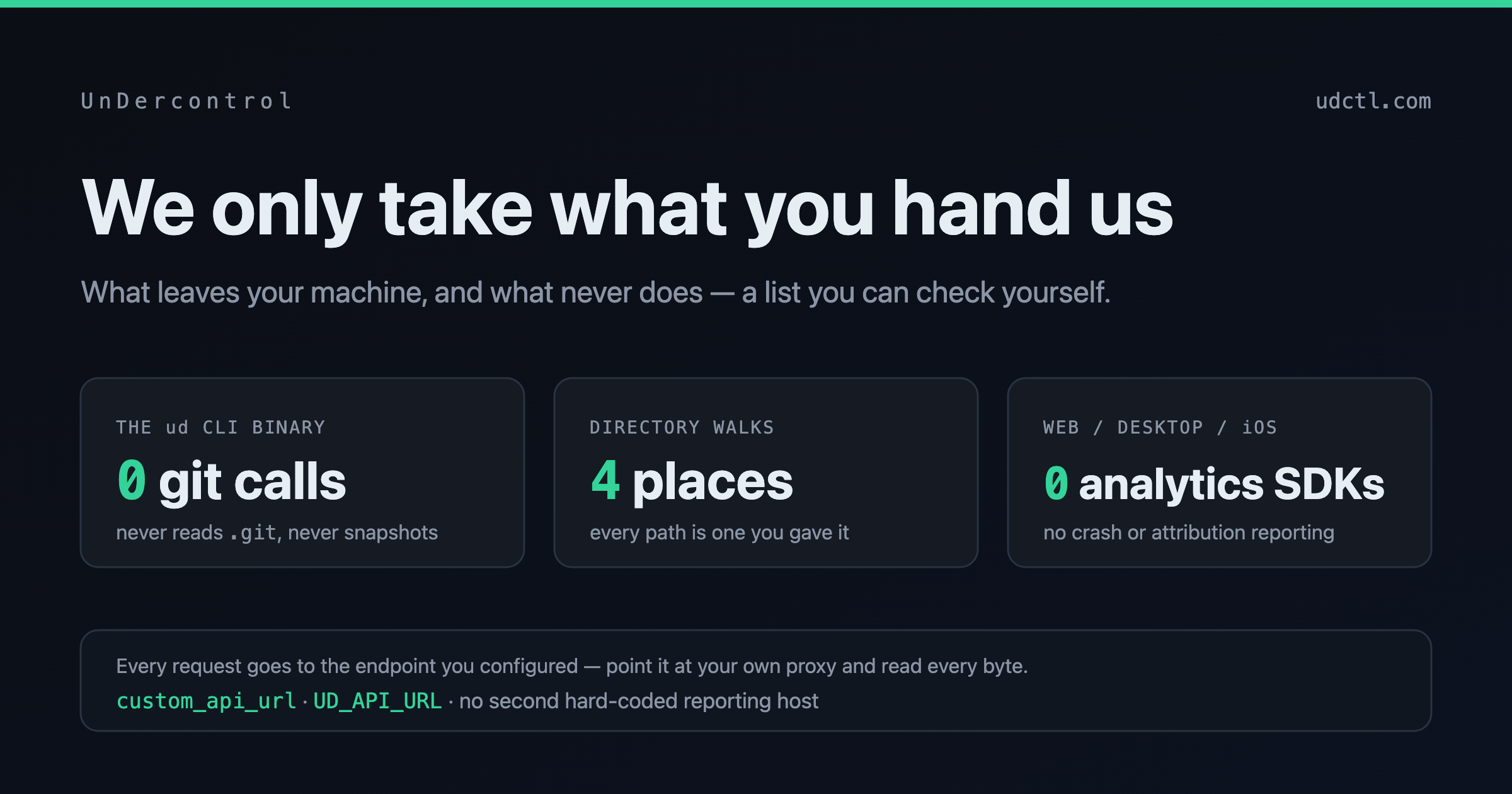
We never scan your disk. In the shipped ud binary, the number of times the git command is invoked is zero. It doesn't read .git, doesn't snapshot, doesn't index, and uploads nothing in the background. There are exactly four places in the whole CLI that walk a directory, and every one of them walks a path you named: the directory you point ud pull / ud push at, ud sync resource <dir>, installing a skill package, and its own state directory. ud sync also skips every file and directory beginning with ., so even when you deliberately ask it to sync a repository, .git is never enumerated.
Agent status reporting is one word. When you run Claude Code, Codex, OpenCode or any other terminal agent inside UnDercontrol, the hook we install tells the server what state the session is in. The entire request body is a single field whose value is one of pending, running, planning, awaiting_input, stopped, exited. The hook script does read the working directory the agent CLI hands it, but that path is only used locally, to match a file on your own machine. It never goes into the request.
There is no analytics SDK in any of the three clients. Not in the web app, the desktop app or the iOS app: no sentry, posthog, mixpanel, amplitude, segment, firebase, bugsnag, datadog. The web page's HTML loads no third-party script either.
The desktop app makes no background connections. Checking for updates is a single GET, sent only when you click the button, which fetches a small static file from a CDN and compares version numbers. It doesn't download, it doesn't install, and the request has no body. The external hostnames that appear anywhere in the desktop source fall into four groups: the API address you configured, that release manifest, the documentation site, and the official installer script of an agent CLI at the moment you choose to install one.
You can check all of this yourself
You have no reason to believe any of the above simply because I wrote it.
There is no channel here you cannot read. Every request the client makes goes to the address you configured — in the web app you change custom_api_url in settings, and the CLI takes UD_API_URL as an environment variable or ud config set-context. Point it at your own proxy and every byte is visible to you. There is no second hard-coded reporting host, and no encryption layer that only the server can open, which is exactly what ZCode's users did not have.
Five places content leaves your machine
Having said what we don't take, I should say what we do. The earlier sentence only means something if this list is complete.
- Cloud sync itself. If you use our hosted backend, the tasks, notes, comments, expenses and attachments you write live on the server. That is what the product does.
- AI features. When you use AI, what you submit goes to a model provider. Two cases, and the difference is large: with your own provider configured, the browser talks to the provider directly and the conversation never passes through our backend; with the provider preconfigured on our cloud, the key can't be handed to the browser, so the request is proxied by us. Server-side features — creating tasks from an image, reading a receipt, summarising a task — always go through the backend. We don't train any model on your content; what a provider does with what it receives is governed by that provider's own terms.
- The Workspace remote terminal. When you run an agent session through UnDercontrol, its terminal output is sent to the server so you can see where it has got to from your phone or another machine. That output lives only in the server process's memory, is gone the moment the process restarts, and is never written to the database — the reason is recorded in the code: the last few screens of a terminal routinely contain passwords and deploy scripts. What is persisted is session metadata only: the working directory path, the launch command, the first prompt you typed, the status, the process id.
- Voice input on iOS. This uses the system's own speech recognition. The audio is never sent to us, we only receive the transcribed text — but with Apple's Speech framework on its default settings, the audio goes to Apple's servers to be transcribed.
- Website analytics. udctl.com loads Google Analytics with IP anonymisation, to count page views. The apps don't, and there is no advertising or cross-site tracking anywhere.
Two ways to keep it from leaving at all
The desktop app with a local database. Your data sits on your own machine and touches no server.
Self-hosting. Run your own instance, on your own infrastructure. Then "what left my machine" is a question you answer by reading your own logs.
Both of these have always been there. Neither was added for this post.
The full policy
It is at udctl.com/privacy: what we store, who else touches it, how long it is kept, how to delete it — including why audit logs are not deleted along with your account, which is that an audit log the subject can erase is not an audit log.
If there's a line in here you'd like to check for yourself, point the API address at your proxy and run it for a day. If it doesn't match what I wrote, write to me.